

You post a Reel on Instagram. Someone likes your content and wants to know more about you. They want to watch your YouTube videos, check your latest recommendations, visit your website, explore your products, or contact you for a collaboration.
But there is a problem.
Your Instagram bio gives you limited space to direct people to everything you do. You might have a YouTube channel, an online store, affiliate links, a portfolio, and other social media profiles. Sharing each link individually isn’t practical, and changing your bio link every time you promote something can become frustrating.
What if you could share just one link that takes people to everything you want them to see?
That’s exactly what a link-in-bio page is designed to do.
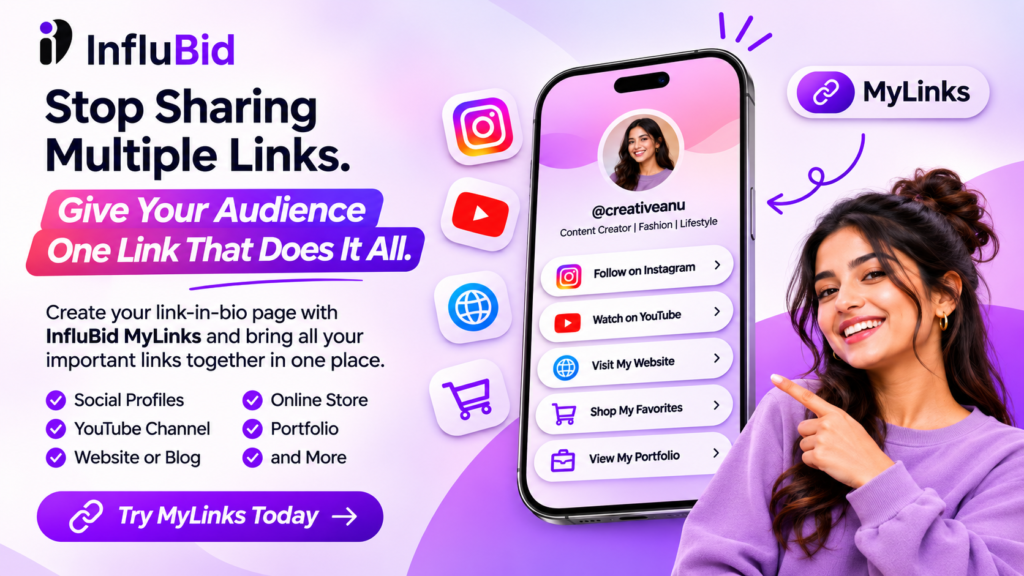
Meet MyLinks by InfluBid — a simple way for creators, influencers, and businesses to bring their important links together on one shareable page.
Explore MyLinks: https://influbidapp.com/creator-tools/mylinks
What Is a Link-in-Bio Tool?
A link-in-bio tool lets you create a single webpage containing multiple links. Instead of adding separate URLs to your social profiles, you share one link that opens a page where visitors can discover your content, websites, products, and other online destinations.
For example, your MyLinks page could include:
- Your Instagram profile
- Your YouTube channel
- Your website or blog
- Your online store
- Your portfolio
- Your other social media profiles
- Other important links you want your audience to visit
You can then share your MyLinks URL in your Instagram bio, WhatsApp, other social profiles, or your content.
Think of it as your little corner of the internet — one place where people can discover everything you do.
Why Creators Need a Link-in-Bio Page
As a creator, your audience may discover you on one platform but want to explore your work elsewhere.
Someone watching your Instagram Reel might want to see your YouTube tutorials. A follower might want to browse your recommendations. A potential brand partner might want to check your portfolio.
Without a central link page, you have to direct people to different destinations manually.
A link-in-bio page makes that process simpler.
1. Share Multiple Links Through Your Instagram Bio
Instagram is an important discovery platform for creators, but your audience may be interested in much more than your Instagram content.
With a single MyLinks URL, you can direct visitors to your other social profiles, website, store, and portfolio.
Instead of repeatedly changing your bio link, give your audience one destination where they can find your important links.
2. Bring Your Social Media Profiles Together
Do you create content on Instagram and YouTube? Perhaps you also maintain a website or another social profile.
You don’t have to choose just one destination to promote.
Bring your important links together on your MyLinks page so people can discover your content across platforms.
This is particularly useful for creators who repurpose content, publish long-form videos, share short videos, or maintain multiple channels.
3. Make Your Creator Profile Easier to Explore
Your profile is often the first impression a potential follower, customer, or brand gets of you.
A central link page makes it easier for visitors to understand what you create and where they can find more of your work.
You can use it as a starting point for your content, portfolio, website, and other online destinations.
4. Give Your Audience One Link to Remember
Imagine telling your audience, “All my important links are in my bio.”
That’s easier than asking them to remember different URLs or search for your accounts individually.
Once your MyLinks page is set up, you can continue sharing the same URL wherever you want people to discover your online presence.
Meet InfluBid MyLinks: A Linktree Alternative for Creators
If you’ve explored link-in-bio tools before, you may already know Linktree. These tools solve a simple problem: making multiple online destinations accessible through one link.
InfluBid MyLinks brings the same core idea into the InfluBid creator ecosystem.
Create one shareable page and organize your important destinations, including:
- YouTube
- Websites
- Online stores
- Social profiles
- Portfolio links
- Other important links
You can share your MyLinks URL on Instagram, WhatsApp, other social profiles, and your content.
Rather than treating your online presence as a collection of separate destinations, MyLinks gives your audience one place to start.
Ready to explore it?
Visit: https://influbidapp.com/creator-tools/mylinks
Who Should Use MyLinks?
MyLinks can be useful for anyone who wants to bring multiple online destinations together.
Instagram Creators
If Instagram is your main discovery platform, use your bio link to direct followers to your other channels, website, and important content.
YouTubers
Make it easier for your audience to find your Instagram profile, website, portfolio, or other online destinations from a single page.
Influencers Looking for Brand Collaborations
Creators can use their link page to make their online presence easier to explore. Include relevant profile and portfolio links so potential collaborators can find your work.
Affiliate Marketers
If you share affiliate content, your audience may need a convenient way to discover the products or resources you recommend.
A central link page can organize links to relevant destinations. Make sure any affiliate links are disclosed appropriately and follow the rules of the platform and affiliate program.
Small Businesses
Businesses can use a link page to bring together their website, online store, social profiles, and other important destinations.
This can be especially helpful when promoting your business through social media profiles with limited space.
Bloggers and Digital Creators
If you publish articles, videos, guides, or other digital content, use a central page to help readers find your work across different platforms.
How to Create Your MyLinks Page
Getting started with a link-in-bio tool should be straightforward.
Here is the basic workflow for setting up your MyLinks page.
Step 1: Open InfluBid MyLinks
Visit the MyLinks page:
https://influbidapp.com/creator-tools/mylinks
Review the available options and follow the instructions to get started.
Step 2: Add Your Important Links
Choose the destinations you want your audience to discover.
These might include your Instagram account, YouTube channel, website, online store, portfolio, or other social profiles.
Prioritize the links that are most relevant to your audience.
Step 3: Organize Your Links
Think about what visitors are most likely to look for.
For example, a creator might prioritize their latest videos, portfolio, and other social profiles. A small business might prioritize its website, store, and contact destination.
Keep the page easy to understand so visitors can quickly find what they need.
Step 4: Share Your MyLinks URL
Once your page is ready, use its shareable URL in your Instagram bio, WhatsApp, other social profiles, and relevant content.
You now have one destination to share instead of repeatedly sending multiple links.
Note: Follow the current in-product instructions for the exact setup steps and available options.
MyLinks vs. Sharing Individual Links
Why use a central link page instead of sharing separate links everywhere?
| Sharing individual links | Using MyLinks |
|---|---|
| You may need to send several URLs separately. | Share one URL containing multiple destinations. |
| Visitors may need to search for your other profiles. | Bring your important online destinations together. |
| Promoting different platforms can become repetitive. | Give your audience one central place to start. |
| You may need to explain where each link leads. | Organize your destinations on a dedicated page. |
The goal isn’t to replace your social media profiles or website. It’s to make it easier for people to discover them.
Is MyLinks a Good Linktree Alternative?
If you’re looking for a Linktree alternative, start by considering what you need from a link-in-bio tool.
Do you want one link for your Instagram bio? Do you need to share your YouTube channel, website, online store, and portfolio? Would you prefer to explore link management alongside other creator tools?
InfluBid MyLinks is worth exploring if your main goal is to bring those destinations together in one shareable page.
The right choice ultimately depends on your requirements, the customization options you want, and the features available in each product.
Rather than choosing a tool based only on its name, consider how easily it helps your audience find the links that matter to you.
Make MyLinks Part of Your Creator Workflow
Growing as a creator involves more than publishing content.
You also need to make your work discoverable, give your audience clear next steps, and make it easy for potential collaborators or customers to learn more about you.
That’s where a central link page can help.
Use your social media content to attract attention, then give interested viewers a convenient place to explore your other profiles, website, store, and portfolio.
And if you’re building your creator presence with InfluBid, MyLinks sits alongside other tools designed to help creators manage and grow their online activities.
You can explore the wider InfluBid creator ecosystem here:
Frequently Asked Questions
What is MyLinks by InfluBid?
MyLinks is a link-management tool that lets creators bring important destinations — such as social profiles, websites, online stores, and portfolio links — together on one shareable page.
Can I use MyLinks for my Instagram bio?
Yes. You can share your MyLinks URL in your Instagram bio so visitors can discover your other important links from one place.
Is MyLinks like Linktree?
Yes. Both follow the link-in-bio concept: one shareable URL leads visitors to a page containing multiple links. Compare the currently available features to decide which tool best suits your needs.
What links can I add to MyLinks?
InfluBid’s published app description lists Instagram, YouTube, websites, online stores, social profiles, portfolio links, and other important links as examples of destinations you can organize.
Who can benefit from using MyLinks?
Instagram creators, influencers, YouTubers, bloggers, affiliate marketers, and small businesses can all benefit from having one central place to share their online destinations.
Where can I get started with MyLinks?
Visit the official MyLinks page to explore the tool and follow the available setup instructions:
https://influbidapp.com/creator-tools/mylinks
Your Online Presence, One Link Away
Your audience shouldn’t have to search through multiple profiles to find your work.
Bring your important links together, make your online presence easier to explore, and give your followers one convenient place to start.
Create a simpler way for people to discover you with InfluBid MyLinks.
Explore MyLinks today:
https://influbidapp.com/creator-tools/mylinks
Ready to run campaigns differently?
Bring your next campaign into one connected workflow with InfluBid.
Get Started Explore InfluBid