

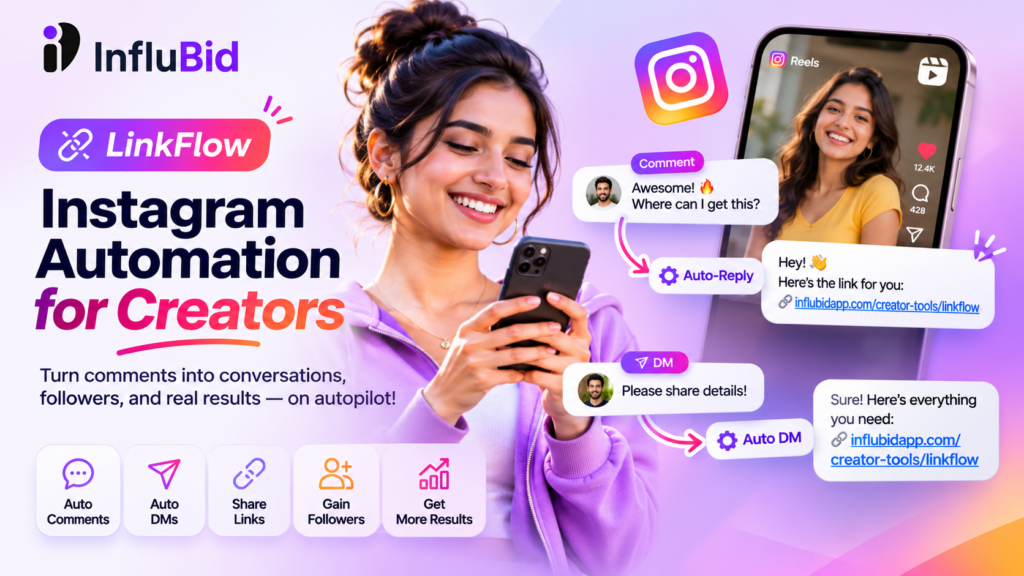
Are You Spending Too Much Time Replying to Instagram Comments and DMs?
Imagine this: You publish an Instagram Reel, and it starts getting hundreds of comments. People are asking for product links, requesting information, commenting on your recommendations, and sending you direct messages.
That’s great news for your creator journey!
But there’s one problem: you cannot spend your entire day replying to every comment and DM manually.
You might miss potential followers, delay sharing important links, or lose opportunities to connect with your audience simply because you couldn’t respond in time.
What if you could automate these repetitive tasks and spend more time doing what you love—creating content?
Meet Linkflow by InfluBid, an Instagram automation tool designed to help creators automate eligible replies, deliver requested links, manage audience interactions, and understand how their automations are performing.
Whether you’re a small creator building your first community, an influencer sharing product recommendations, or an established creator managing multiple content campaigns, Linkflow can help simplify your Instagram engagement workflow.
And there’s more! You can start with Linkflow’s Basic Free plan, which is free for a lifetime, or explore Pro for just ₹29/month. InfluBid is also offering eligible creators one year of Linkflow Follow with all paid features free through a promotional coupon.
Start Using Linkflow for Free →
What Is Instagram Automation?
Instagram automation allows you to automatically respond to certain comments and messages when your audience interacts with your Instagram account.
Instead of manually answering every repetitive question, you can configure automation rules that send predefined replies when specific interactions occur.
For example, imagine you publish a Reel featuring your favourite skincare product.
Your caption says:
“Want the product link? Comment PRODUCT below!”
Someone comments PRODUCT on your Reel.
With a suitable comment automation rule, Linkflow can automatically send the configured response, helping the person receive the information they requested without requiring you to respond manually to every matching comment.
You can use similar workflows to share resources, answer common questions, provide relevant links, and create interactive experiences for your audience.
The result? Less repetitive work and more time for content creation.
If you want a step-by-step explanation of this particular workflow, read our guide on how to automatically send Instagram DMs when someone comments on your Reel.
Introducing Linkflow by InfluBid: Your Instagram Automation Assistant
Linkflow brings Instagram comment and DM automation together in one place.
It’s part of InfluBid’s creator tools, allowing you to manage supported automation workflows through the Linkflow interface.
Here are some of the ways you can use Linkflow as a creator.
1. Automatically Reply to Instagram Comments
Do your Reels receive comments such as:
- “Link please!”
- “Where can I buy this?”
- “Please share the details.”
- “Send me the guide.”
- “How can I get this?”
Instead of replying to each person individually, configure an automation rule to respond when someone comments on your selected post.
You can use comment automation to:
- Share product or affiliate links.
- Direct viewers to your website.
- Provide information about your digital products.
- Share useful resources and guides.
- Answer frequently asked questions.
- Make it easier for interested viewers to find what they need.
Example:
You publish a Reel reviewing a budget-friendly gadget.
Your caption says:
“Want to check out this gadget? Comment LINK!”
A viewer comments LINK, and your configured automation sends the appropriate reply.
You can focus on creating more content while Linkflow handles eligible automated responses.
Want to set this up? Follow our dedicated guide: Automatically Send Instagram DMs When Someone Comments on Your Reel.
2. Automate Instagram DMs
Direct messages are an important part of building relationships with your audience.
However, answering the same questions repeatedly can become time-consuming as your account grows.
Linkflow lets you configure automated responses to supported incoming Instagram interactions.
You can use DM automation to respond to common enquiries, share relevant information, and help your audience find the right resources.
For example, suppose you regularly receive messages asking about your collaboration process.
You can configure an appropriate automated response that shares your collaboration information or directs interested people to the relevant page.
You can also use DM automation to provide information about your creator services, products, or content resources.
Your audience gets a more convenient response experience, and you spend less time handling repetitive messages.
3. Turn Reel Comments into Follow Opportunities With Follow Funnels
Getting comments on your Reels is valuable, but building a loyal audience is equally important.
Linkflow includes a follow-funnel feature that can help turn comment interactions into opportunities to gain followers.
Here’s how the workflow operates.
Step 1: A viewer comments on your post.
You invite people to comment to receive a particular resource or link.
Step 2: Linkflow sends a private prompt.
The configured automation asks the viewer to follow your account and provides a follow link with a confirmation button.
Step 3: The viewer follows your account.
Linkflow checks follow status using the available follow-status functionality.
Step 4: The requested content is unlocked.
Once the follow is confirmed, the configured final message and link are delivered.
This creates a more structured experience than simply asking people to follow you and hoping they do.
For example, you could promote a useful resource through a Reel and invite interested viewers to comment to access it.
The follow funnel can help guide those viewers through the configured steps.
Important: A follow funnel does not guarantee new followers. Results depend on your content, audience interest, and the experience you create.
For more strategies, read our guide on how to turn Instagram Reel comments into followers.
4. Automate Replies to Stories, Shares, and Instagram Live
Creators don’t engage with their audiences through Reels alone.
Stories, shared posts, and Instagram Live sessions can also generate interactions that require your attention.
Linkflow Pro supports additional automation options, including:
- Story Replies: Configure automated responses when someone replies to your Story.
- Story Shares: Respond automatically to supported Story-share interactions.
- Post Shares: Configure responses to supported post or Reel shares.
- Story Mentions: Automate responses when someone mentions you in their Story.
- Live Comments: Respond to eligible comments during supported Instagram Live interactions.
These features can help creators manage more of their Instagram interactions from one place.
Whether you’re conducting a Live session, promoting a new Reel, or sharing updates through Stories, you can build automation rules around supported audience interactions.
These additional capabilities are available with Pro, subject to current feature availability and Instagram’s platform permissions.
5. Understand Which Automations Are Working
Setting up automation is only part of the process.
As a creator, you also need to understand which activities are generating meaningful engagement.
Linkflow includes an analytics dashboard with an overview of your automation activity.
Depending on the available metrics, you can review information such as:
- Automation rules created.
- Users reached.
- Replies sent.
- Follows gained.
- Reply trends over time.
- Channel and rule-level performance.
- Follow-funnel conversions.
You can also examine individual rules and select date ranges to understand how specific automations are performing.
For example, suppose you use separate automation rules for two Reels.
One Reel promotes a product guide, while another offers a free resource.
By reviewing their performance separately, you can identify which automation is generating more interactions and follows.
This information can help you refine your calls to action and make better decisions about future content.
Remember that automation analytics measure the activity available through Linkflow; they do not automatically establish sales, revenue, or business conversions.
How Instagram Creators Can Use Linkflow: 5 Practical Examples
Let’s explore how different types of creators can incorporate Linkflow into their daily workflows.
Example 1: Fashion and Lifestyle Creators
You publish an Instagram Reel showcasing an outfit.
Your caption says:
“Want the outfit details? Comment OUTFIT!”
You configure a comment automation rule to provide the relevant product information or link.
When viewers comment using your chosen keyword, Linkflow can send the configured reply.
Potential benefit: Make it easier for interested viewers to find the products you feature.
Example 2: Tech Review Creators
You publish a Reel reviewing a smartphone accessory.
Viewers repeatedly ask for the purchase link.
Instead of responding to every eligible comment manually, you configure an automation rule to share the relevant link.
Potential benefit: Reduce repetitive replies and make product information easier to access.
Example 3: Educational Creators
You create a Reel explaining an important concept and offer a free PDF guide.
Your caption says:
“Want the complete guide? Comment GUIDE!”
Linkflow can automatically respond to matching comments with your configured message and resource link.
Potential benefit: Simplify resource delivery and make it easier for interested viewers to access your material.
Example 4: Small Creators Building an Audience
You are working to grow your account but don’t yet have a large following.
You create useful content and invite viewers to comment to access a bonus resource.
You configure a follow funnel that asks interested viewers to follow your account before unlocking the resource.
Potential benefit: Create a more structured path from content engagement to potential new followers.
Example 5: Creators Sharing Affiliate Links
You publish a Reel recommending a product and invite viewers to comment for the purchase link.
Instead of manually sending the same affiliate link to every interested viewer, you configure an automation workflow to deliver the appropriate link.
Make sure your affiliate links are valid and that your promotions include any required affiliate disclosures.
Potential benefit: Simplify link sharing and make it easier to manage product-related enquiries.
For more details, read How Instagram Creators Can Share Affiliate Links Automatically.
These examples illustrate possible workflows. Actual results depend on your content, audience, configured rules, and Instagram’s permissions and platform limitations.
How to Get Started With Linkflow
Getting started is straightforward.
Step 1: Create Your InfluBid Account
Visit the official Linkflow page and create your account.
Create Your Free Linkflow Account →
Step 2: Connect Your Instagram Account
Follow the connection process and authorize the requested permissions.
Use the supported Instagram account type and permissions required by the connection flow.
Step 3: Choose Your Automation Type
Decide what you want to automate first.
You can begin with options such as:
- Direct message automation.
- Comment reply automation.
- Follow-funnel automation.
If you need to automate Story interactions, post shares, or Live comments, explore the additional options available with Pro.
Step 4: Configure Your Rule
Select the relevant interaction, configure your keyword or trigger where supported, and write the message you want to send.
For example:
Trigger: Someone comments LINK on your selected Reel.
Automated reply: “Thanks for your interest! Here’s the link you requested: [your link].”
Choose a reply that is relevant, helpful, and consistent with the content that prompted the interaction.
Step 5: Test Your Automation
Before promoting your automation to your audience, test the workflow using an eligible interaction.
Check that the correct rule is triggered and that the intended message or link is delivered.
Step 6: Publish Content and Invite Engagement
Create content with a clear call to action.
For example:
“Comment GUIDE to receive the resource!”
Once your automation is configured correctly, eligible interactions can trigger the corresponding response.
You can then use Linkflow’s analytics to review performance and refine your approach.
Is Linkflow Free? Plans and Pricing
Yes! Linkflow offers a Basic Free plan that is free for a lifetime, so you can start automating eligible Instagram interactions without committing to a paid subscription.
If you need additional capabilities, Linkflow Pro is available for ₹29 per month.
Basic Free Plan — ₹0/month, Free for a Lifetime
The Free plan includes:
- Unlimited automations.
- Comment reply automation.
- Follow-funnel automation.
- Direct message automation.
- Analytics dashboard.
- Automation configured for one post at a time.
- The “Automate by @influbid” attribution tag on automated replies.
This is a practical starting point for creators who want to explore Instagram automation before upgrading.
Pro Plan — ₹29/month
The Pro plan includes the core capabilities of the Free plan, along with additional features such as:
- Automation across all posts at once.
- Comment-type filtering for images and GIFs.
- Excluded-word filters.
- Story reply automation.
- Story-share automation.
- Post-share automation.
- Story-mention automation.
- Live-comment automation.
- Removal of the “Automate by @influbid” attribution tag.
If you regularly publish Reels, receive frequent messages, or want to automate more types of Instagram interactions, Pro offers additional flexibility.
You don’t have to upgrade just to get started. Continue using the lifetime-free Basic plan if it meets your needs.
Check the official Linkflow page for the latest pricing and feature details.
🎁 Special Offer: Get 1 Year of Linkflow Follow With All Paid Features FREE!
Want to experience Linkflow Follow with all paid features without paying for a year?
InfluBid is offering creators one year of Linkflow Follow with all paid features free through a promotional coupon!
And remember, Linkflow’s Basic Free plan remains free for a lifetime. The promotional offer is an additional opportunity for creators who want to experience the paid Follow features.
How to Get Your Free Coupon
Step 1: Follow InfluBid on Instagram
Follow either of our Instagram accounts:
Following either account is enough to get started.
Want to stay connected and hear about future offers? Following both accounts is even better! You’ll be able to keep up with creator tools, collaboration opportunities, updates, and potential future promotions.
Step 2: Create a Reel
Create a Reel related to your creator journey, Instagram growth, content creation, or your experience exploring creator tools.
Make it your own and share it with your audience.
Step 3: Tag InfluBid in Your Reel — Mandatory
Tagging InfluBid in your Reel is mandatory to qualify for the free coupon.
Make sure you tag one of our Instagram accounts so we can identify your Reel and your participation.
Simply following an account without tagging InfluBid in your Reel does not meet the tagging requirement.
Step 4: Connect With Us on Instagram
Once you’ve published your Reel and tagged InfluBid, connect with us on Instagram for more details and to request your coupon.
We’ll guide you through the next steps to claim the offer.
Ready to Claim Your Free Year?
Follow either InfluBid Instagram account, publish a Reel tagging InfluBid, and connect with us to request your coupon for one year of Linkflow Follow with all paid features—FREE!
You can also explore Linkflow by InfluBid to learn more about the tool.
Offer reminder: Following either account is sufficient to get started. Following both is encouraged so you can stay updated on future opportunities. Tagging InfluBid in your Reel is mandatory to qualify for the coupon. Contact InfluBid on Instagram for coupon availability, eligibility, and redemption details.
Why Choose Linkflow Instead of Managing Replies Manually?
Manual replies can work well when your account is small and interactions are limited.
But as your content reaches more people, answering repetitive questions can consume valuable time.
Linkflow offers several advantages.
1. Save Time on Repetitive Tasks
Configure automation rules for eligible interactions instead of manually sending the same response repeatedly.
2. Make Useful Links Easier to Access
Help interested viewers find product links, resources, and other information relevant to your content.
3. Manage Multiple Interaction Types
Use a creator-focused tool for supported comment, DM, Story, and Live automation, depending on your plan.
4. Track Automation Performance
Use combined analytics and individual rule breakdowns to understand how your automations are performing.
5. Start Without a Paid Subscription
Explore the lifetime-free Basic plan and upgrade when you need additional capabilities.
6. Explore a Follow Funnel
Use configured follow-funnel workflows to guide interested commenters through a follow prompt before delivering the requested resource.
7. Use Supported Integration Methods
Linkflow is designed to work through supported Instagram integrations. Automated messaging remains subject to Instagram’s permissions, messaging rules, and platform limitations.
Frequently Asked Questions
1. What Is Linkflow by InfluBid?
Linkflow is an Instagram automation tool that helps creators automate eligible comment replies, direct messages, and follow-funnel interactions. Pro adds automation options for Stories, shares, and Live comments.
2. Is Linkflow Free for Instagram Creators?
Yes. Linkflow’s Basic Free plan costs ₹0 per month and is free for a lifetime. It supports comment replies, direct messages, follow funnels, and analytics, with automation configured for one post at a time.
3. How Much Does Linkflow Pro Cost?
Linkflow Pro is priced at ₹29 per month. Check the official Linkflow page for current pricing and plan details.
4. Can Linkflow Automatically Send Links When Someone Comments on a Reel?
Yes. You can configure supported comment automation rules to respond to eligible comments with a message containing the relevant link. This is useful for product recommendations, guides, resources, and other content-related links.
For a step-by-step tutorial, read How to Automatically Send Instagram DMs When Someone Comments on Your Reel.
5. Can Linkflow Help Me Get More Instagram Followers?
Linkflow offers a follow-funnel feature that asks interested commenters to follow your account and confirms their follow status before delivering the configured final message and link.
It can support your audience-growth strategy, but it cannot guarantee a particular number of new followers.
Read more in our guide on turning Instagram Reel comments into followers.
6. Can I Share Affiliate Links Automatically on Instagram?
Yes. You can configure supported comment automation to deliver relevant affiliate links when viewers request them.
Make sure your affiliate links are valid and your content includes any required disclosures.
Learn more in How Instagram Creators Can Share Affiliate Links Automatically.
7. Can I Automate Instagram Story Replies?
Story reply automation is available on the Pro plan. Pro also includes additional automation options for Story shares, Story mentions, post shares, and Live comments.
8. Does Linkflow Provide Analytics?
Yes. Linkflow includes a combined analytics dashboard and individual rule-level breakdowns. Available metrics can include users reached, replies sent, follows gained, and follow-funnel conversions.
9. Do I Need Coding Skills to Use Linkflow?
No coding is required to configure the supported automation workflows. You can create rules and configure replies through the Linkflow interface.
10. How Can I Get One Year of Linkflow Follow With All Paid Features Free?
InfluBid is offering eligible creators one year of Linkflow Follow with all paid features through a promotional coupon.
Follow either @influbid.social or @influbid, publish a Reel, and tag InfluBid in your Reel. Tagging is mandatory to qualify for the coupon.
Then connect with InfluBid on Instagram for more details and to request your coupon.
Following both accounts is encouraged if you want to stay updated on future offers and creator opportunities.
11. Is Instagram Automation Safe?
The method of automation matters. Use tools that rely on supported integrations and follow Instagram’s permissions, messaging rules, and applicable platform restrictions.
12. Can I Upgrade From Free to Pro Later?
Yes. You can start with the lifetime-free Basic plan and explore Pro when you need additional automation features. Check the official Linkflow page for current subscription details.
Final Thoughts: Spend More Time Creating, Less Time Replying
Your audience follows you for your content, ideas, recommendations, and creativity—not because you can manually answer every comment within seconds.
As your Instagram presence grows, building a more efficient engagement workflow becomes increasingly important.
With Linkflow by InfluBid, you can automate supported comments and DMs, make relevant links easier to access, experiment with follow funnels, and review your automation performance.
Start small. Choose one Reel, identify a repetitive task, and create an automation rule around it.
Once you understand what works for your audience, expand your workflow as needed.
And remember, you don’t have to pay to get started. Linkflow Basic is free for a lifetime, while Pro costs just ₹29/month. You can also explore the special opportunity to receive one year of Linkflow Follow with all paid features free through a promotional coupon.
Your next great Reel deserves your attention—not another hour of repetitive replies.
Ready to Automate Your Instagram Engagement?
Start with Linkflow’s lifetime-free Basic plan and explore how Instagram automation can fit into your creator workflow.
Get Started With Linkflow for Free →
Want One Year of Linkflow Follow With All Paid Features Free?
- Follow either @influbid.social or @influbid.
- Publish a Reel and tag InfluBid. This is mandatory for the free coupon.
- Connect with us on Instagram for more details and to request your coupon.
Following both accounts is encouraged if you want to stay connected with our creator community and hear about potential future offers.
Linkflow by InfluBid — Instagram automation built for creators.
Ready to run campaigns differently?
Bring your next campaign into one connected workflow with InfluBid.
Get Started Explore InfluBid